Why Your Care Home Is Not Appearing on Google — and how to fix it
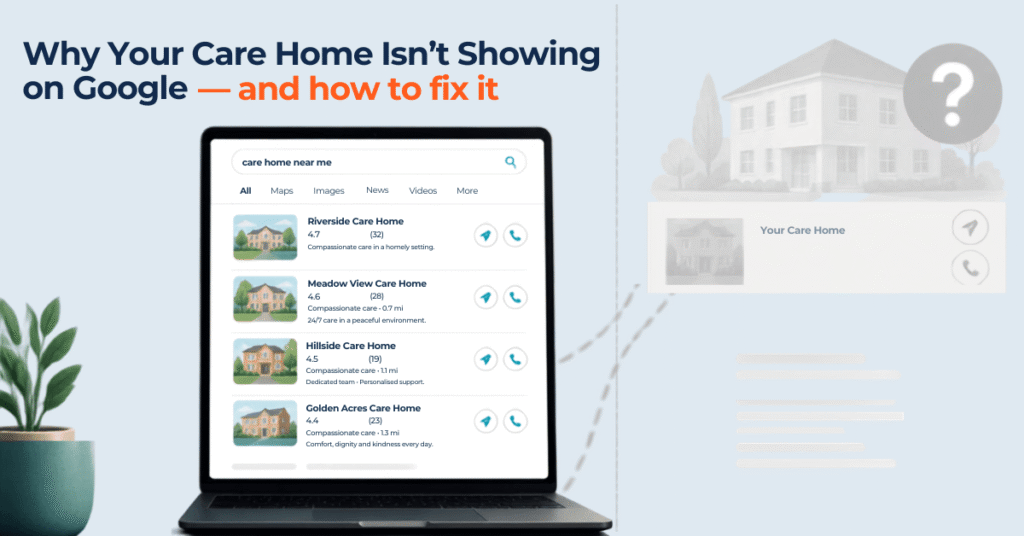
Table of Contents
Introduction
“Care home not showing on Google” is one of the most common — and most stressful — problems care home owners search for, usually late at night after another week of quiet enquiries.
You Google your own care home name and — nothing. Or you’re buried on page three of the Google search results, three positions below a competitor who opened last year. Meanwhile, families searching for care right now, tonight, in your city, never see you at all.
If that sounds familiar, you’re not alone. Most care home websites were built for compliance, not visibility — and Google has no way of knowing you exist, let alone that you’re the right choice for a family searching in your city.
That your care home isn’t appearing on Google is not a reflection of the quality of your care. It is a reflection of your digital presence. And the good news is that digital presence is entirely fixable. In almost every case, it comes down to a handful of fixable gaps: an unclaimed Google Business Profile, technical SEO issues, the wrong keywords, too few reviews, or a website that’s gone quiet.
In this post, we will cover the five most common reasons UK care homes are invisible in Google search — and give you a specific, actionable fix for every one.
Being invisible on Google is not a technology problem. It is a marketing problem. And marketing problems have solutions.
The monetary cost of your care home not showing on Google
Before we get to the fixes, it is worth understanding exactly what Google invisibility costs. A 60-bed care home running at 80% occupancy has 12 empty beds. At £1,000 per week per resident — a conservative average across most of the UK — that is £12,000 per week in lost revenue. £624,000 per year. Not because your care is poor, but because you are not visible online to the families who would fill those beds as a result of your care home not showing on Google.
The families most likely to find you through Google are also among your most valuable potential residents: self-funders and private-pay families researching care options independently, without waiting for a social worker referral. These families move quickly once they find a home they trust. They are searching for you right now. The only question is whether they can find you.
Reason 1 — Your Google Business Profile is incomplete, unclaimed or neglected
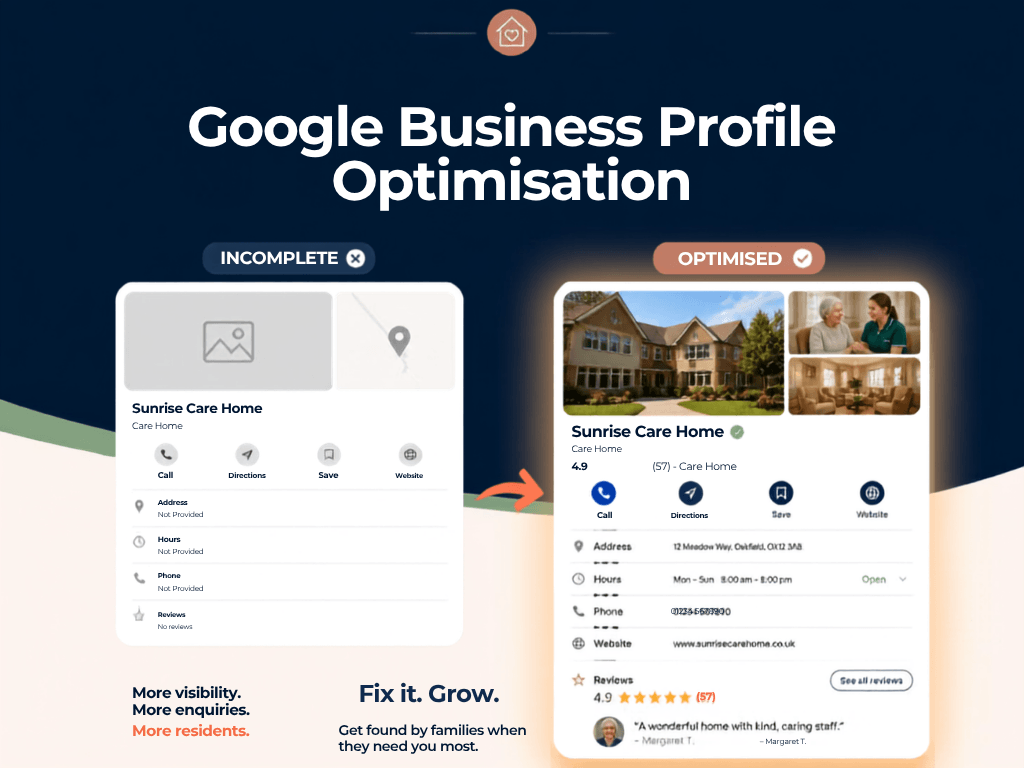
Your Google Business Profile (GBP) is the listing that appears on Google Maps and in the information panel beside search results. It is also the primary data source Google uses when generating the Map Pack — the three local results at the very top of local care home searches, above all organic website links. Most care homes have a profile. Very few have a fully completed one — and Google treats completeness as a trust and relevance signal. This is one of the major reasons why your care home is not showing on Google.
For local searches like “care home near me” or “care home in Manchester,” Google leans almost entirely on your Google Business Profile (GBP) — not your website — to decide who shows up in the map pack and local results.
The fix
- Log into business.google.com and claim your profile. Google verifies ownership with a PIN to your registered address — allow 1–5 business days.
- Complete every field without exception: name, address, phone, website, hours, and categories. Choose “Nursing Home”, “Residential Care”, or “Assisted Living Facility” as your primary category.
- Write a 750-character description that names your care types (residential, nursing, dementia, respite) and your city — include “care home in [city]” naturally.
- Upload at least 15 real photos: exterior, lounge, dining room, garden, bedrooms, and team. Photo-rich profiles generate significantly more clicks.
- List every care type as a separate service with a 2–3 sentence description.
- Activate weekly posts — a care tip, a team update, or an availability announcement.
Reason 2 — Your website is not optimised for local care home searches
Families searching for care do not search generically. They search specifically: “dementia care home in Leeds”, “nursing home near Sheffield”, “residential care Birmingham”. A care home website that mentions “high-quality care” once on the homepage, with no pages dedicated to specific care types or locations, will almost never rank for local care searches — however well-designed it looks. Hence why the care home is not showing on Google.
The fix
- Create a dedicated page for each care type you offer — at least 500 words of genuine, specific content per page.
- Include your city, borough, and postcode area in page titles, H1 headings, and body content.
- Add your full address to your footer in exactly the same format as your Google Business Profile — consistency is a ranking signal.
- Ensure your website loads in under 3 seconds on mobile. Test at pagespeed.web.dev — a mobile score below 60 is actively suppressing your rankings.
Reason 3 — You have too few Google reviews, or they are too old
Google’s algorithm uses review volume, star rating, and recency as local ranking signals — and this is one of the most overlooked reasons behind a care home not showing on Google. A care home with 8 reviews — the most recent posted 11 months ago — will rank significantly lower than a competitor with 40 recent reviews and an active response pattern, even when the lower-reviewed home delivers better care. This is often exactly why a care home not showing on Google isn’t a technical fault at all, but a trust signal problem: families also use review count and recency as credibility signals before they call.
The fix
- Create your direct Google review link from your Google Business Profile dashboard (“Ask for reviews”) and keep it accessible.
- Ask for a review within 24–48 hours of every positive family interaction — after a good tour, a comfortable settling-in, or a positive care review meeting.
- Add your review link to email signatures, family newsletters, and your website footer.
- Respond to every review — positive and negative — within 48 hours. Response rate and recency are both ranking signals.
- Target a minimum of 3–5 new reviews per month. Volume and recency together produce sustained ranking improvement.
Reason 4 — Your care directory listings are inconsistent or incomplete
Google and AI search tools cross-reference your information across multiple sources to verify legitimacy and assess authority — and inconsistent data here is a frequent, hidden cause of a care home not showing on Google. Your name, address, phone number, and website — NAP data — should be identical everywhere you appear. The most common inconsistencies we find: a different phone format on the website vs Google, an abbreviated address on carehome.co.uk, a missing URL on the NHS Care Finder listing. Each one chips away at Google’s confidence in your organisation, and is often the quiet reason a care home not showing on Google can’t figure out why.
The fix
- Audit every platform where your care home appears and note discrepancies in your NAP (Name, Address, Phone number) data.
- Standardise everything to match your Google Business Profile exactly — including formatting (“Street” not “St”, “+44” not “0044”).
- Fully complete your carehome.co.uk and homecare.co.uk profiles with current photos and accurate details.
- Claim your NHS Care Finder listing — a high-authority citation that directly improves local rankings for care providers.
Reason 5 — Your website loads too slowly on mobile
Over 60% of families researching care homes do so on a mobile phone — often in the evening, often during an emotionally pressured moment. Google uses mobile page speed as a direct ranking factor, and this is a technical cause of a care home not showing on Google that’s easy to miss because the site looks fine on desktop. Slow pages lose visitors before they read a single word. The most common cause: uncompressed images. A single full-resolution lounge photo can add 4–6 seconds to your load time — and most care home websites have 15–25 of them.
The fix
- Test your site at pagespeed.web.dev right now and note Google’s prioritised recommendations.
- Compress every image with tinypng.com before uploading — typically 60–80% smaller with no visible quality loss.
- On WordPress, install a caching plugin — WP Super Cache is free and adds 15–25 points to most care home PageSpeed scores.
- Ask your host to enable GZIP compression and browser caching — often one-click settings.
- Target a mobile PageSpeed score of 70 or above.
Reason 6 — You’re not targeting the keywords families actually search
Many care home sites are written in clinical, internal language — “person-centred care provision” — while families search in plain, emotional terms like “care home near me” or “dementia care in [city].” If your pages never use the words families actually type, Google has no reason to match you to their search — and this mismatch is one of the simplest explanations for a care home not showing on Google. The result: you could offer exactly what they need and still remain a care home not showing on Google, simply because your site speaks a different language from what families actually search.
The fix
- Rewrite key pages using plain, everyday language instead of clinical terms.
- Create a dedicated page for each service type (residential, dementia, respite, nursing).
- Include your city and surrounding areas naturally in titles and headings.
- Target long-tail phrases like “emergency respite care [city]” or “dementia care home near me”.
- Add a FAQ section answering common family search queries directly.
Reason 7 — Your website has little to no fresh content
Google favours websites that show ongoing activity over ones that sit static for years. If your last update was your original launch, search engines have little reason to keep crawling or ranking you — which is exactly how a care home not showing on Google ends up staying that way indefinitely. Families also read stale sites as a warning sign — if the content hasn’t moved since 2021, has the care actually kept pace? A quiet site quietly signals a quiet business, even when neither is true.
The fix
- Publish blog posts answering real family questions (funding options, visiting policy, admissions process).
- Add a news/updates section for staff milestones, events, and CQC rating changes.
- Refresh key service pages at least twice a year with current details.
- Post staff spotlights or resident activity updates monthly.
- Add seasonal content (winter visiting guidelines, summer events) to show ongoing activity.
Your 30-day visibility plan
You do not need to fix everything at once. Here is the order that produces the fastest results:
| Week | Focus |
|---|---|
| Week 1 | Claim and fully complete your Google Business Profile — every field, 15+ photos, correct category, and all services listed. |
| Week 2 | Fix technical SEO foundations — submit your sitemap to Google Search Console, confirm SSL is active, and check robots.txt isn’t blocking your site. Fix your NAP consistency across carehome.co.uk, NHS Care Finder, and every directory you appear in. |
| Week 3 | Realign your website around the keywords families actually search — plain language, your city name, and one dedicated page per service type. |
| Week 4 | Launch your review programme and publish fresh content — create your review request process, respond to every review, and post your first family-focused blog article. |
Book a free audit with Wallwide Media if your care home is not showing on Google, and you’d like this fixed for you.
Frequently asked questions.
Why is my care home not showing on Google?
A care home doesn’t show up on Google mainly due to an unclaimed or incomplete Google Business Profile, since Google uses this — not the care home’s website — to decide local search rankings. Technical issues like a blocked robots.txt file or a missing XML sitemap can also stop Google from indexing the site at all.
How long does it take for a care home to start ranking on Google?
Google Business Profile fixes typically improve local map pack visibility within 2–4 weeks. Website and content changes take longer, usually 8–12 weeks, because Google needs time to re-crawl and reassess the site’s pages.
Can a care home fix its Google visibility without a big budget?
Yes — claiming a Google Business Profile, requesting reviews, and submitting a sitemap to Google Search Console are free and can be done in-house. Technical fixes, like improving site speed or rewriting pages around the right keywords, often benefit from specialist help but don’t require a large budget to start.
How many Google reviews does a care home need to rank locally?
There is no fixed number of reviews required, but consistency and recency matter more than total volume — a care home gaining 3–5 new reviews per month typically outranks one with 50 reviews that are all over a year old. Responding to every review also signals active management to both Google and prospective families.
Wallwide Media Team
Written and reviewed by the Wallwide Media team.